Features
Everything Ruffle3D can do, in one place. Every feature on this page is free for everyone.
Solid modelling
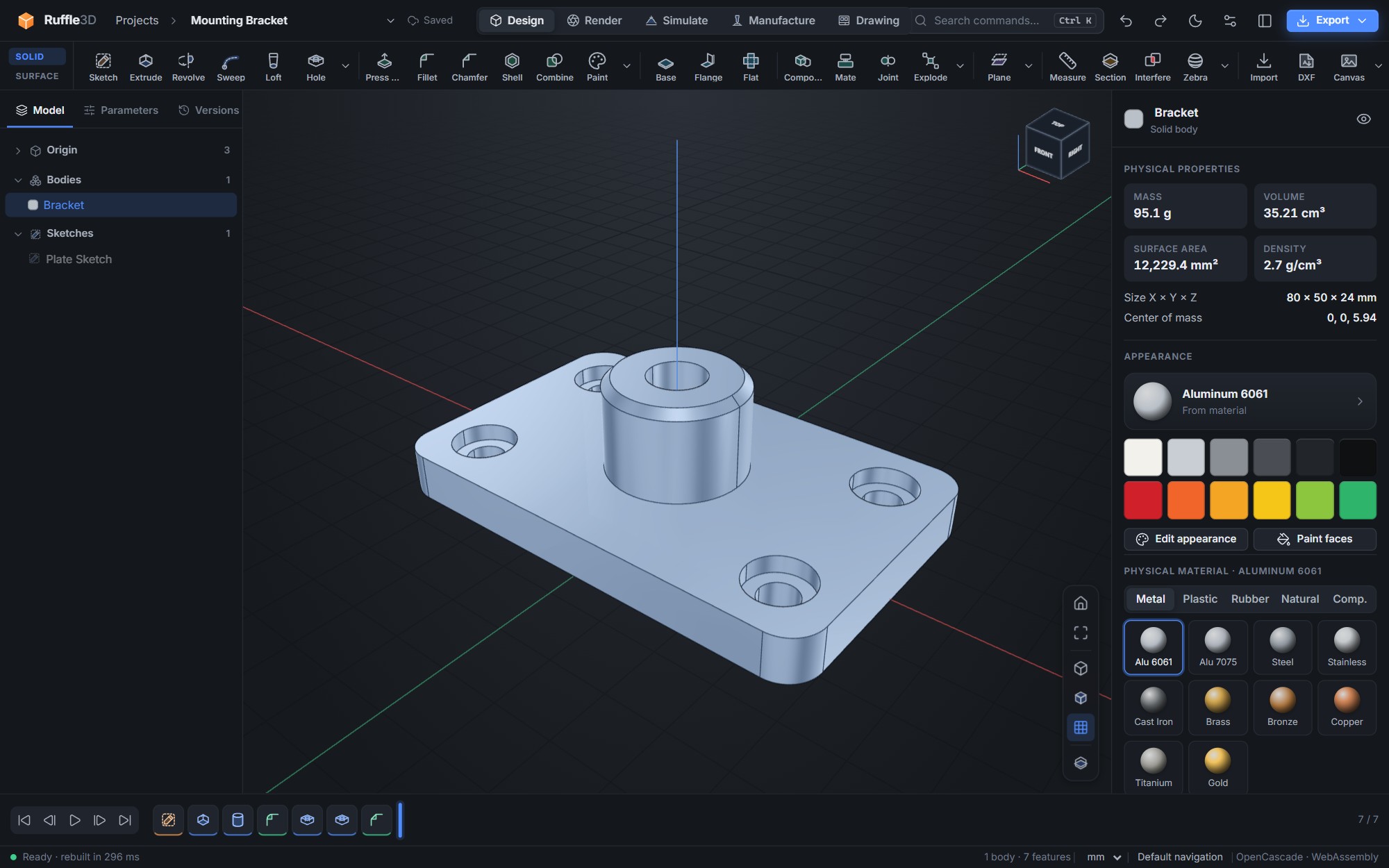
Parts are built as a history of features on top of the OpenCascade B-rep kernel, the same class of geometry engine used in commercial CAD. The timeline records every step. You can edit any feature, suppress it, roll the model back to an earlier state, or replay the build step by step. When you change something, only the features that depend on it are recomputed.
Create
- Extrude (one side, symmetric, two sides, with twist), revolve, sweep and loft
- Holes: simple, counterbore, countersink or tapped (ISO M2–M24, with the tap drill sized and the thread modelled), to a depth or through all
- Raised or engraved text with a built-in single-stroke engraving font, or your own TTF and OTF fonts
- Canvas reference images on any origin plane, calibrated to size
- Modelled ISO metric threads, M2 to M30, on shafts and in holes, right or left hand
- Coil springs with pitch, turns and wire diameter
- Box, cylinder, sphere, torus and cone primitives
- Rectangular, circular and path patterns (copies along any sketch curve, turning with it if you like), mirror about any plane
Modify
- Fillet and chamfer edges; shell with chosen open faces
- Press-pull planar faces; draft faces for moulding
- Join, cut and intersect bodies; split a body with a plane
- Move, rotate, copy and scale bodies
- Offset, angled and mid construction planes
- Named user parameters and expressions in every numeric field
- Configurations: named variants (for example S, M and L) with their own parameter values, edited in a table and exported in one go
Sketching
Sketches are fully parametric. A geometric constraint solver keeps every relationship as you drag geometry. The panel shows how many degrees of freedom are left, and colour shows which curves are free, fully defined or over-constrained.
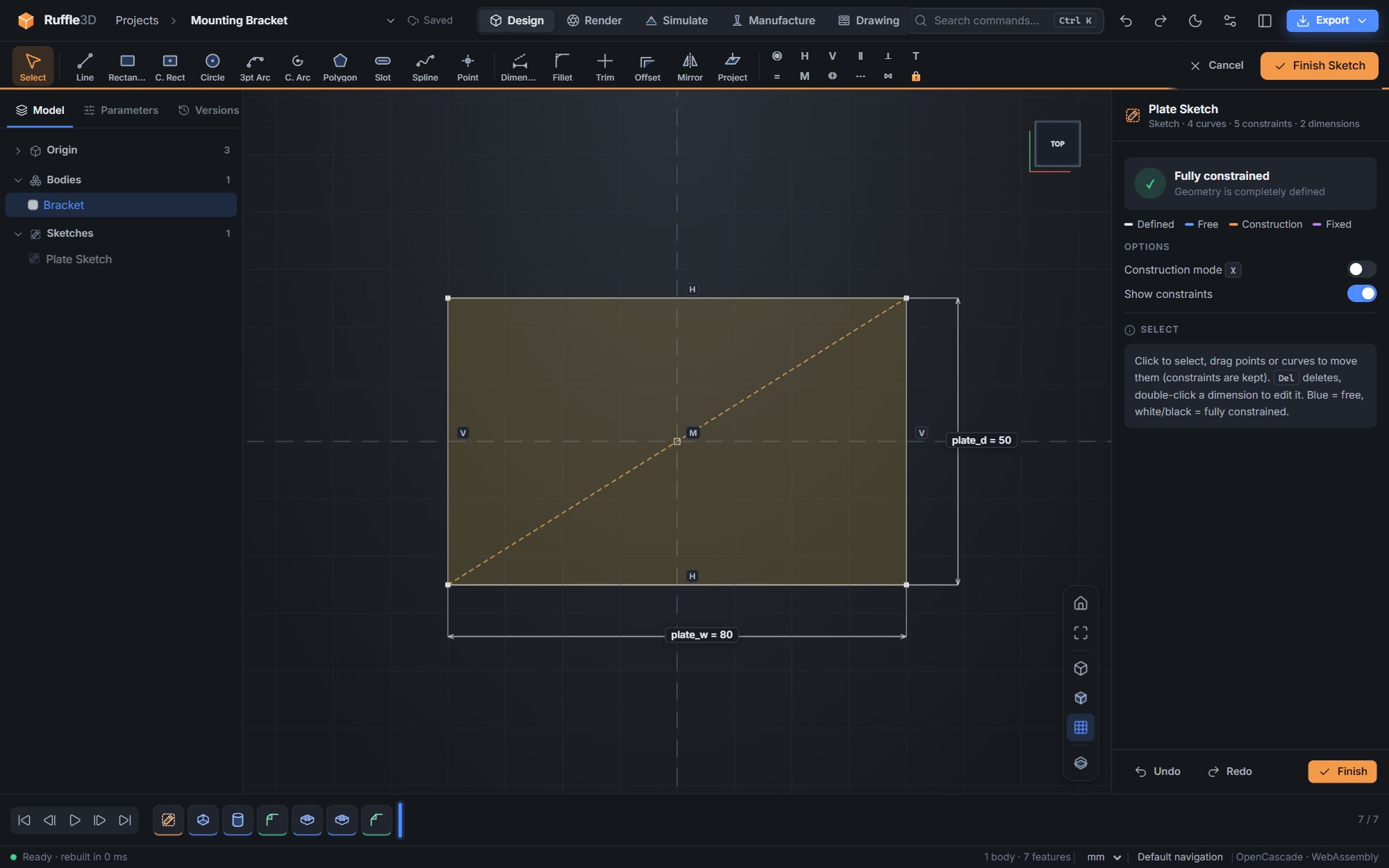
- Line, two-point and centre rectangle, circle, three-point and centre arc, polygon, slot, spline and point
- Coincident, on-curve, horizontal, vertical, parallel, perpendicular, tangent, equal, midpoint, concentric, collinear, symmetric and fix constraints
- One dimension tool for lengths, distances, radii, diameters and angles; values can be expressions such as
plate_w / 4 - Trim, offset (lines, arcs, circles and splines), fillet, mirror and project model edges into the sketch
- Real region detection: overlapping curves split into separate profiles you can pick individually
Surfacing
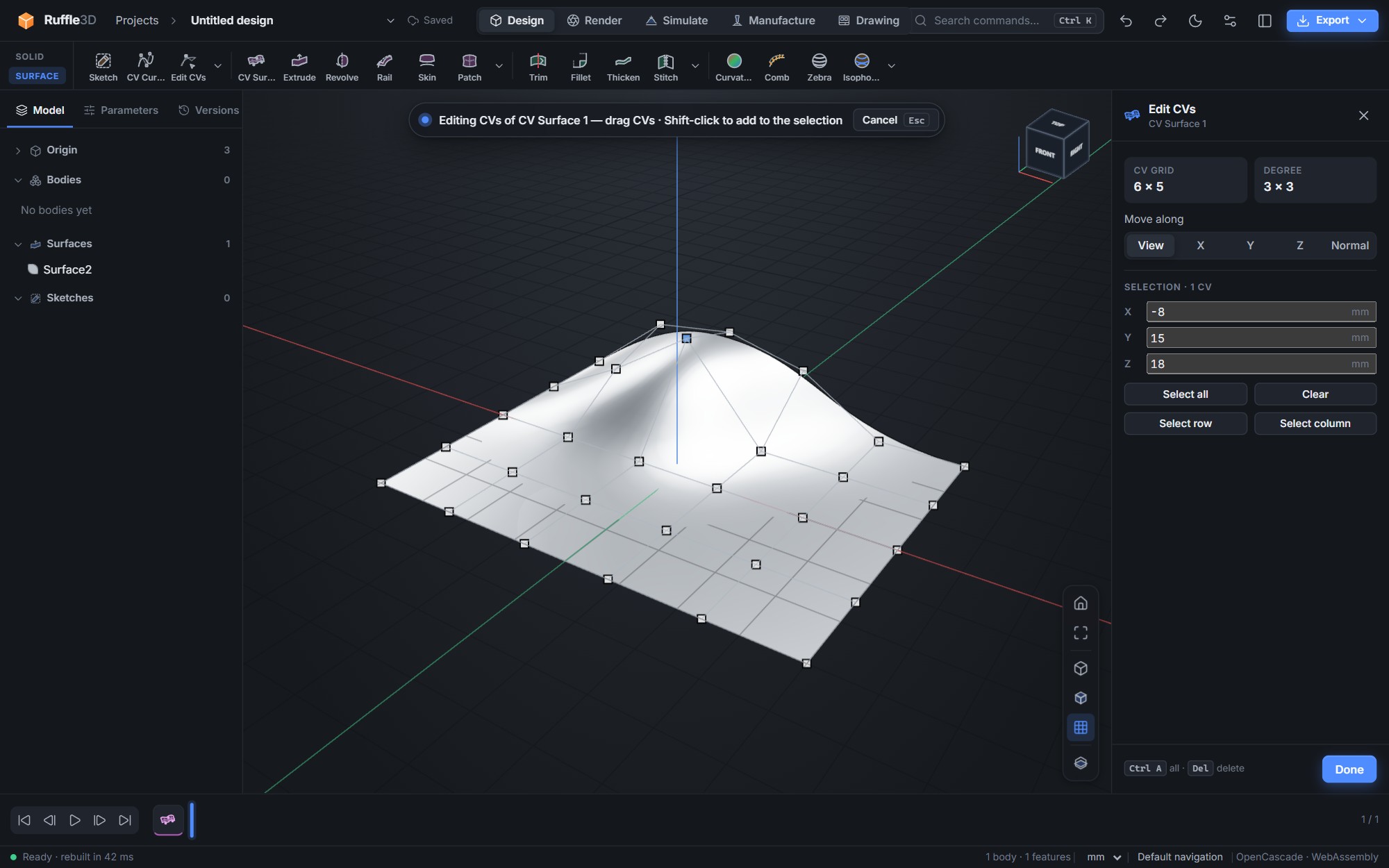
The Surface tab is for free-form product shapes, the kind of work usually done in dedicated industrial surfacing software. Surfaces are NURBS, and you can edit them through their control vertices.
Curves and surfaces
- CV curves in 3D, degree 1 to 5, open or periodic. Draw them on principal planes, the view plane, construction planes or onto faces
- CV surfaces from a plane, or rebuild any face as editable NURBS: exact for NURBS and planar faces, or refit to a CV count you choose
- Drag CVs freely or along X, Y, Z or the surface normal; select rows and columns; type exact coordinates
- Skin through any number of sections, rail sweeps, boundary patches with tangent (G1) continuity, extrude, revolve and offset surfaces
Finishing
- Rolling-ball surface fillets: constant, variable (linear, S-curve or through a middle value) or sized by chord length
- Trim with sketch or CV curves projected along a curve's plane, a world axis or the current view
- Trim boundaries are kept as exact lines and arcs in the surface's own coordinates, so they stay correct after CV edits
- Stitch surfaces into solids; thicken surfaces into walls
Surface evaluation
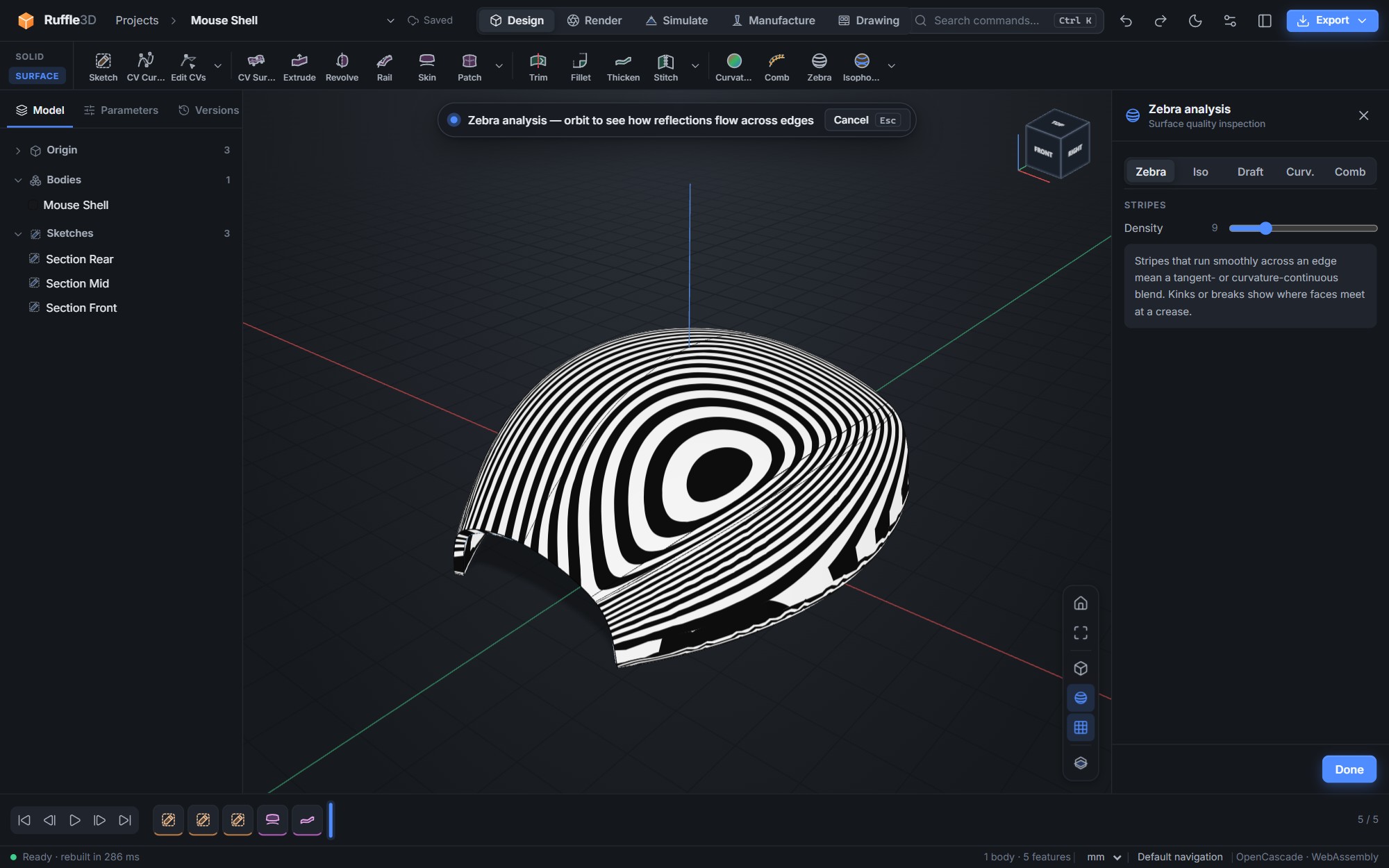
Curvature is computed exactly from the NURBS derivatives, not estimated from the display mesh.
| Curvature map | Mean, Gaussian or maximum curvature, with a sensitivity control and a scale in radius |
|---|---|
| Curvature combs | Combs on any edge, with the minimum radius reported |
| Zebra stripes | Reflection stripes for judging continuity across edges |
| Isophotes | Lines of constant light angle, from a chosen light direction |
| Draft analysis | Faces coloured by draft angle against a pull direction, for moulded parts |
| Section and measure | Live section planes with capped cuts; distances, angles, lengths, areas and radii |
Sheet metal
Design brackets, enclosures and covers as folded sheet, then unfold them for the laser or punch.
- Base plate from any sketch profile, with thickness, inside bend radius and K-factor
- Flanges on straight edges of the plate or of other flanges (lips, returns and side tabs): up or down, any angle up to 180°, a set length after the bend and corner insets for relief
- Flat pattern with exact bend allowance, a bend table (direction, angle, length, allowance) and the overall blank size
- Holes and cut-outs you add to the plate or the flanges after folding appear in the right place on the flat pattern
- Flat pattern DXF: the cut outline on layer 0, bend lines on layer BEND
3D printing
- Wall thickness analysis with a minimum-wall check, for moulding and printing
- 3D print check: overhangs beyond your limit angle are coloured red, with the face on the build plate shown in blue
- Pick the build direction, and see straight away which faces will need support
- Per body: size, fit in a compact, standard, large or extra-large build volume, watertight mesh check and overhang area
- Material estimate in grams and metres of 1.75 mm filament for PLA, PETG, ABS or TPU, at the infill you choose
- 3MF export with colours and units, or binary STL
Simulation
Check a part's strength before you make it, in the same application.
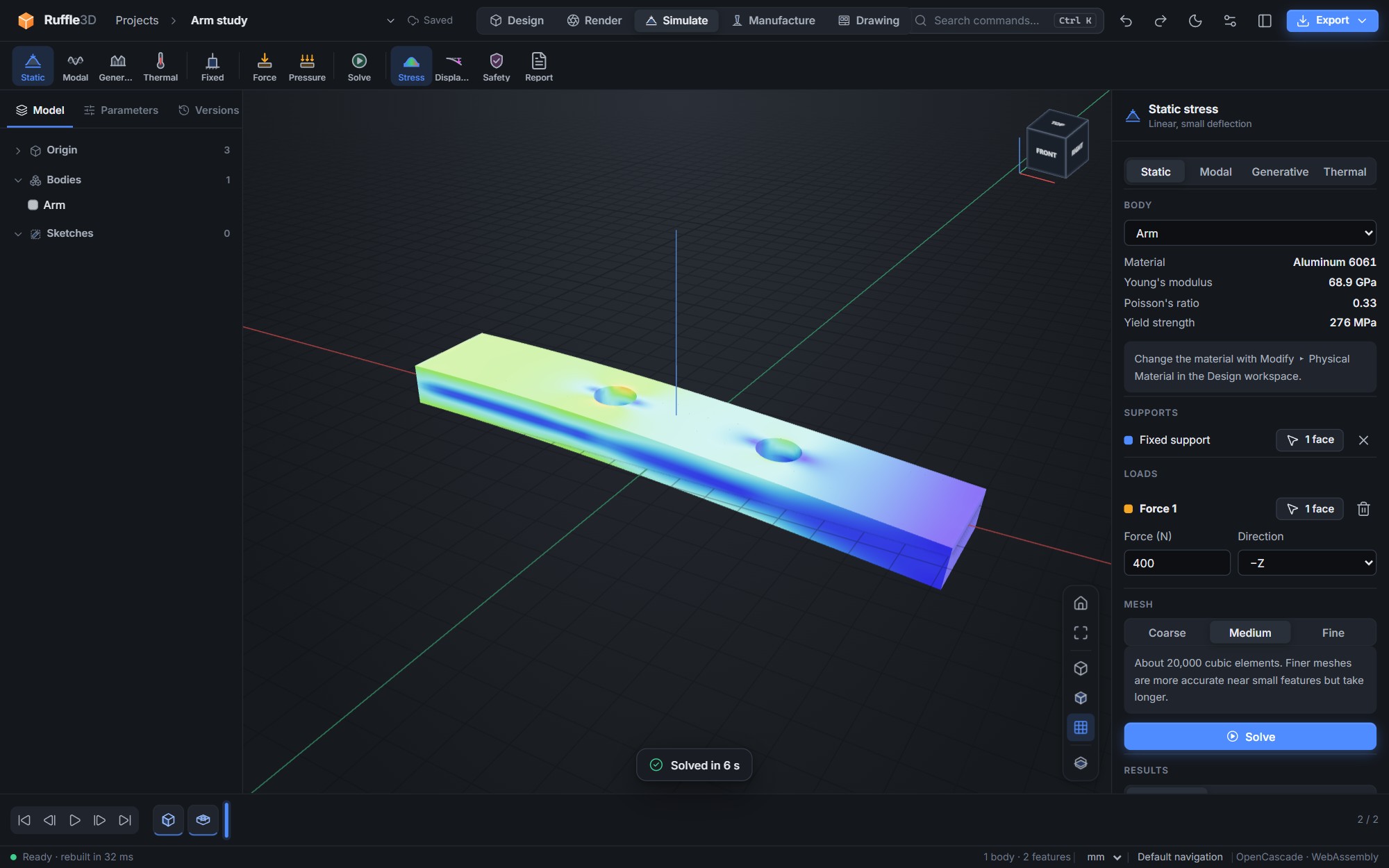
- Static stress analysis on any solid body, using its physical material, elastic or with material yielding (plasticity)
- Forces, pressures, bearing loads on holes and gravity (self-weight, or several g for shocks)
- Buckling: the critical load and buckled shapes of columns, struts and thin walls
- Transient heat: heating up and cooling down over time, with a time slider and temperature chart
- Natural frequencies and animated mode shapes, with mass participation for each mode
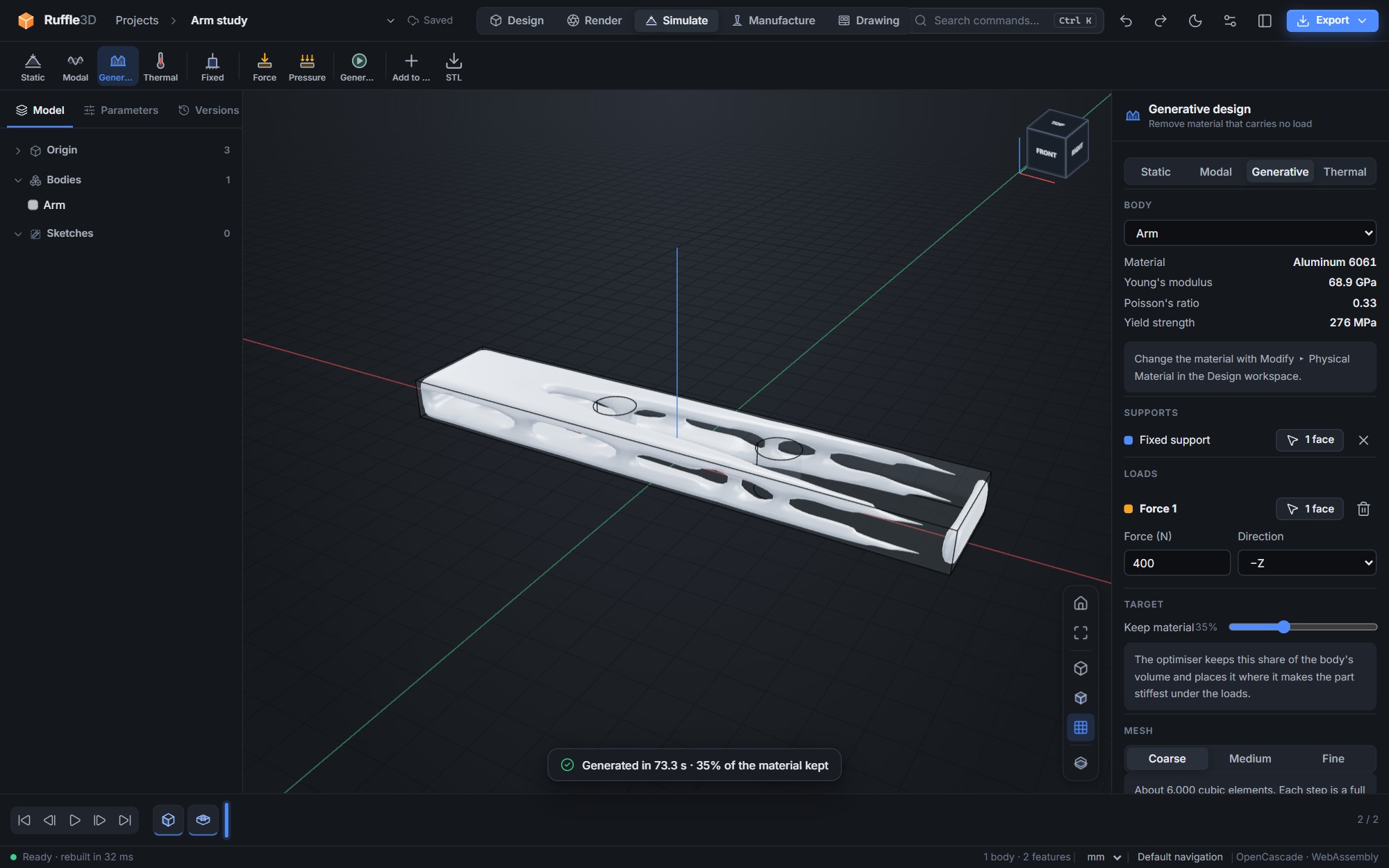
- Generative design: topology optimisation that keeps a set share of the material where it carries load, then adds the result to the model or exports it as STL
- Fixed supports, forces in newtons along an axis or into a face, and pressures in MPa
- Coarse, medium and fine meshes, solved in the background by a multigrid solver; a medium study usually takes a few seconds
- Von Mises stress, displacement and safety factor maps, with true-scale or exaggerated deformed shape
- Peak stress reported away from the supports, as well as at them
- Steady-state thermal studies with fixed temperatures, heat sources and convection
- HTML reports for stress, frequency and thermal studies
Manufacture
Take a part from the screen to a CNC mill or router without another program.
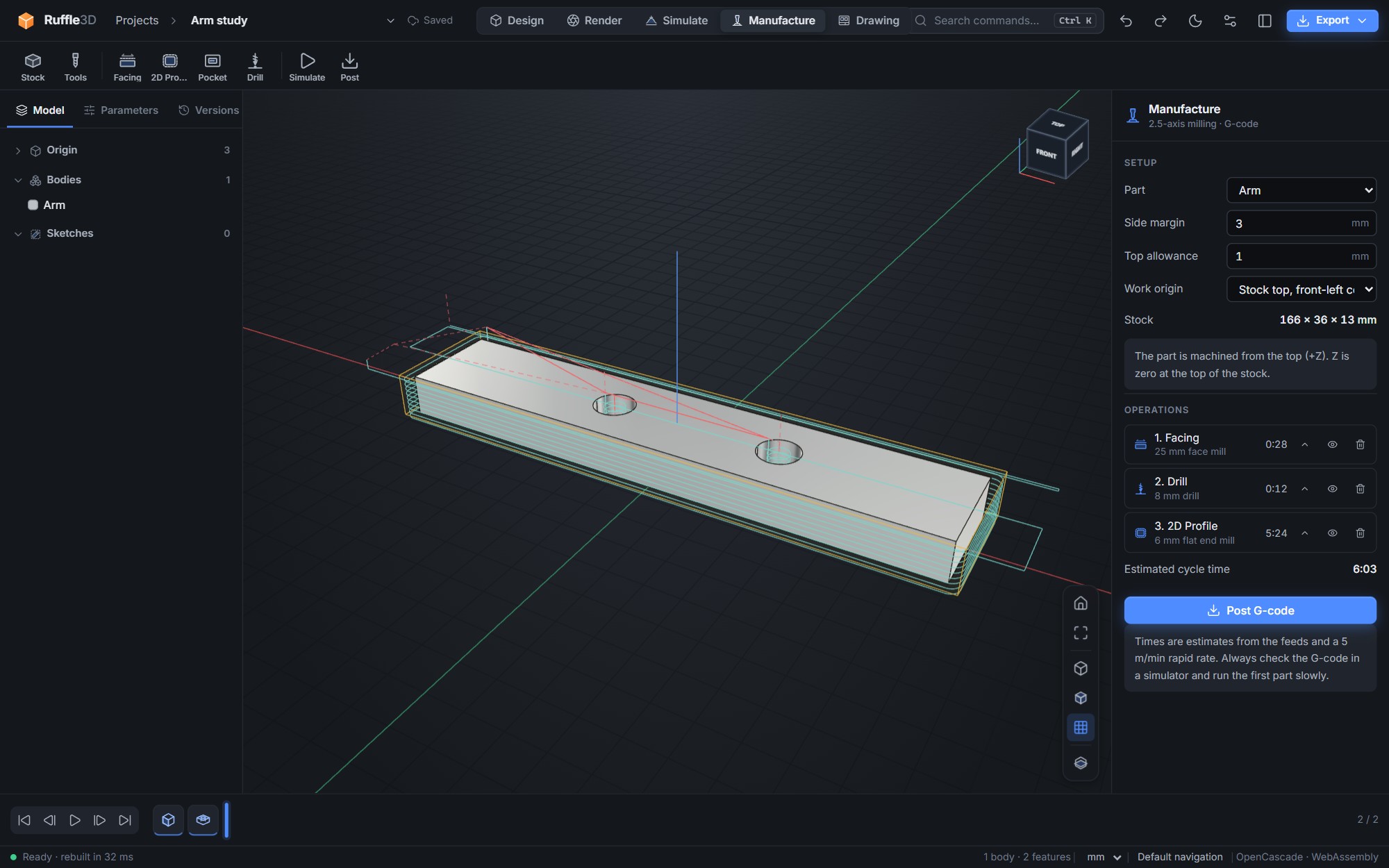
- Stock from the part with side margins and a top allowance; work origin at the stock's top corner or centre
- Tool library of flat and ball end mills, face mills and drills with speeds, feeds, step-down, step-over and peck depth
- Facing, 2D profiles (outside, inside or on the line, to a depth or through), pockets with islands, and peck drilling
- 3D machining of curved parts: Z-level roughing with stock to leave, and parallel finishing with ball end mills
- Engraving of sketches (text, logos, markings) with V-bits or end mills
- Toolpath preview with rapids, an animated tool simulation and per-operation cycle-time estimates
- G-code for GRBL, LinuxCNC, Mach and Fanuc-style controls, in millimetres with tool changes
Assemblies
Build products from parts. Each part is its own project, placed and fitted with mates that are solved together.
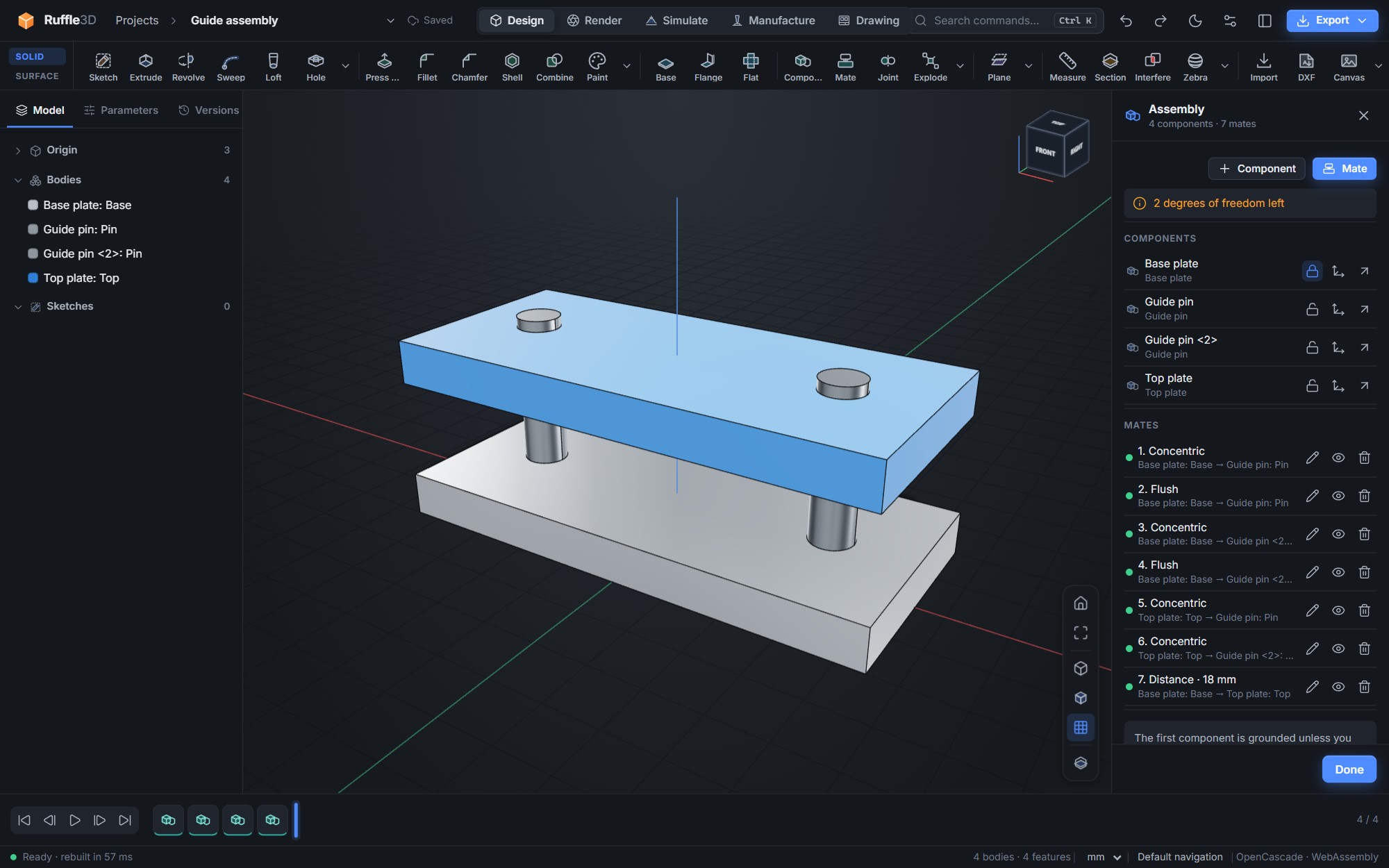
- Components: place other projects in a design, with a stored copy and one-click update when the part changes
- Mates solved together: mate, flush, concentric, distance, parallel, perpendicular and angle, with offsets
- Motion limits: distance and angle ranges with end stops
- Gear, rack-and-pinion and contact mates, and a collision check between parts
- Degrees-of-freedom readout, grounding, and per-mate conflict reporting
- Drag parts with the mouse along the directions their mates leave free
- Rigid, revolute and slider joints: mate a face to a face, or a pin to a hole
- Offset, angle and flip for each joint, with a motion preview
- Interference check that lists the overlap volumes and shows them in the viewport
- Exploded views, radial or along an axis, for images and turntable videos
- Bill of materials with quantities, material, volume, mass, area and size, exportable as CSV
- Mass properties with moments of inertia, principal axes and the inertia tensor
Materials and rendering
The physical material drives mass properties. The appearance is set separately, so you can repaint a part without changing its weight.
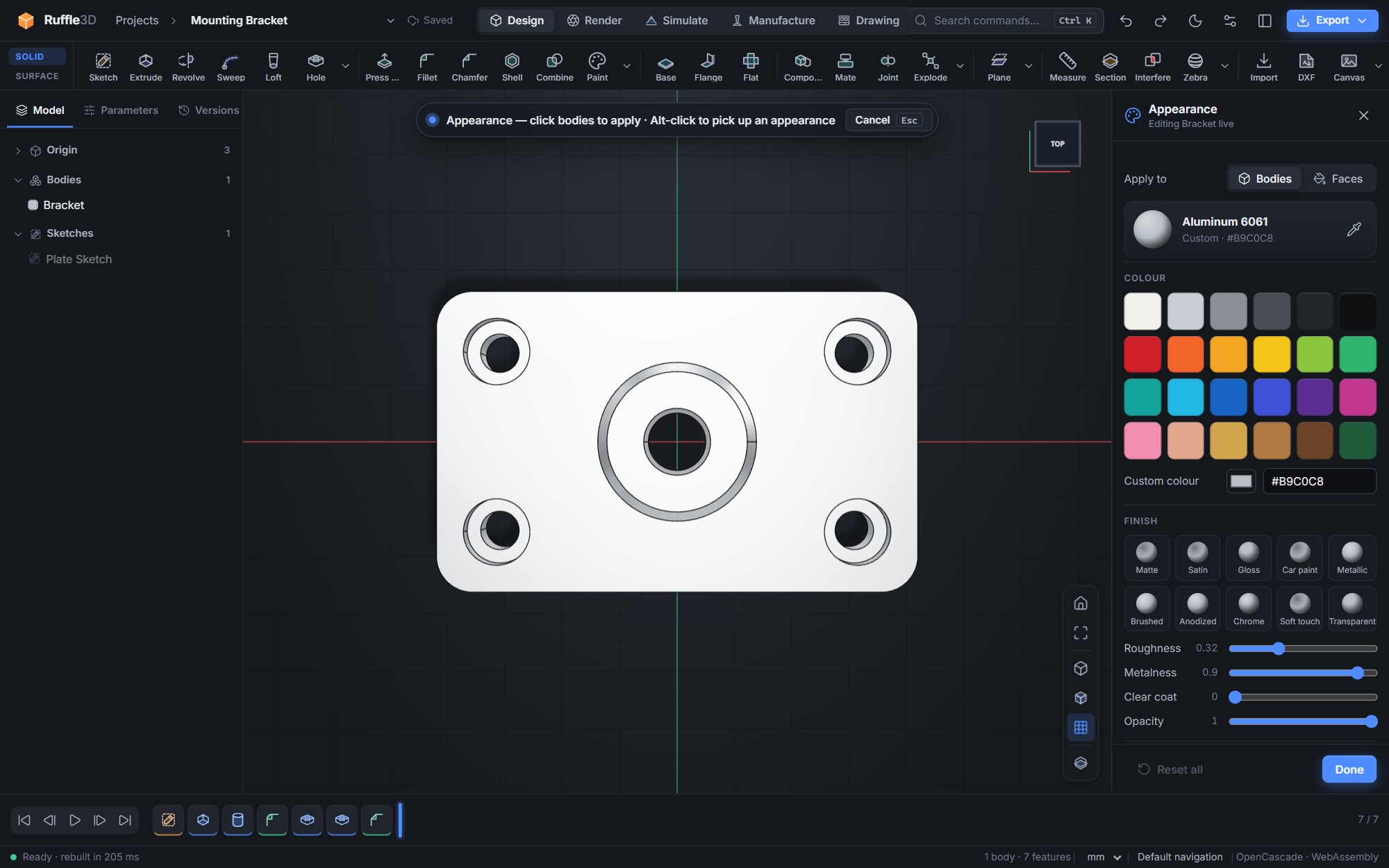
- 28 physical materials with densities: metals, plastics, elastomers, woods, glass, ceramics and composites
- 44 ready-made appearances, 10 finishes (from matte to chrome and car paint), custom colours, per-face paint and an eyedropper
- Render workspace with five lighting environments, soft ground shadows, ambient occlusion and turntable
- Decals: logos, labels and graphics projected onto faces, following gentle curves
- Image capture up to 4K, with an optional transparent background
- Turntable videos (WebM) at 1080p, 720p, square or vertical, rendered frame by frame
Drawings
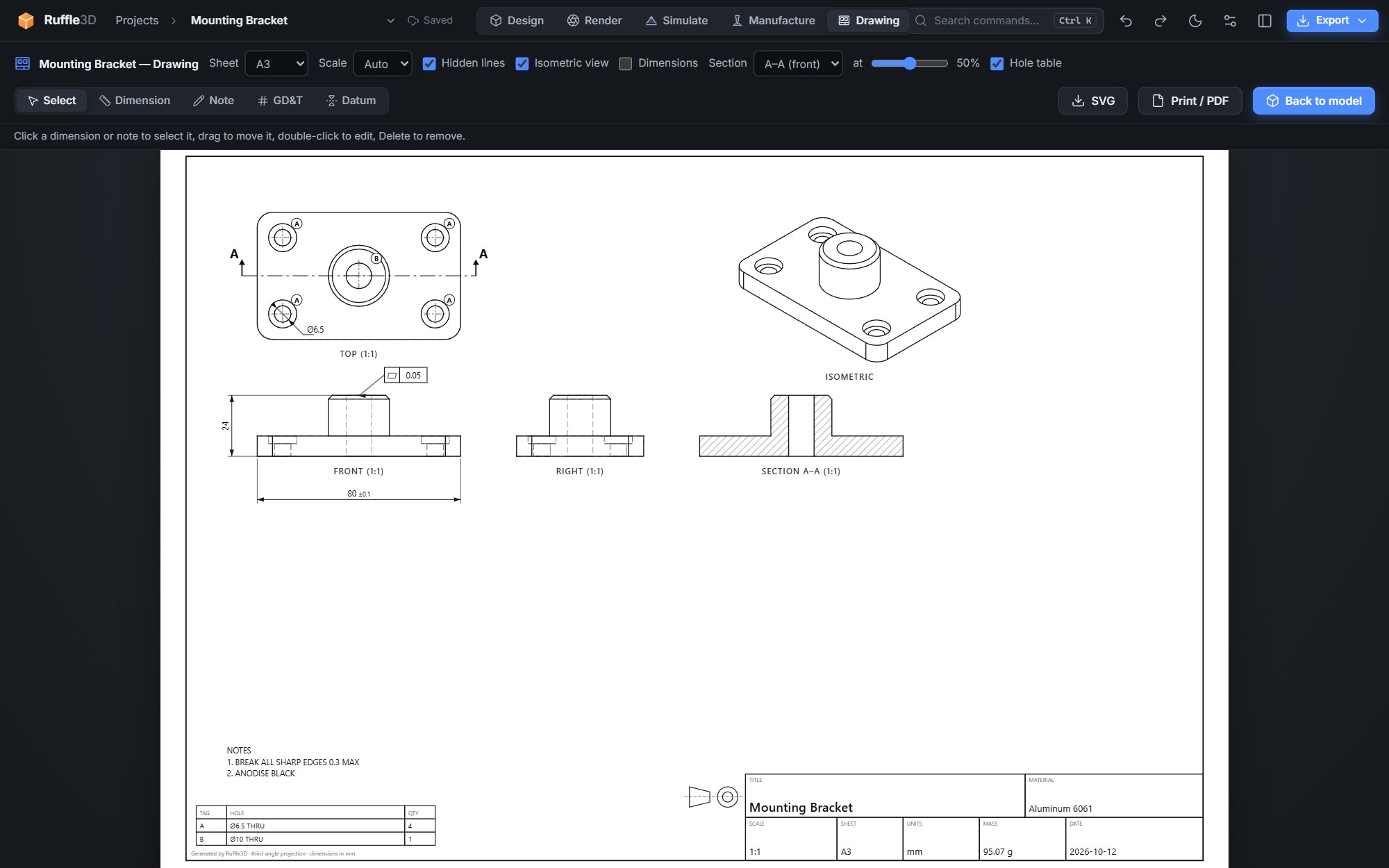
- Third-angle front, top, right and isometric views with hidden-line removal
- Section views A–A and B–B with hatched cut faces and section lines on the parent view
- Hole callouts: centre marks, letter tags and a hole table with through, blind, counterbore and countersink sizes
- Your own dimensions (linear, aligned, diameter, radius, angle) with tolerances, notes with leaders, GD&T feature control frames and datums
- Parts list with material, mass and quantity, and numbered item balloons for assemblies
- Detail views: circle a small area and place an enlarged copy anywhere on the sheet
- Export the sheet as SVG, PDF or layered DXF
- Automatic scale and overall dimensions
- Title block with material, computed mass, units, sheet size and date
- A4, A3, A2 and Letter sheets; export as SVG, print or save as PDF
Projects and files
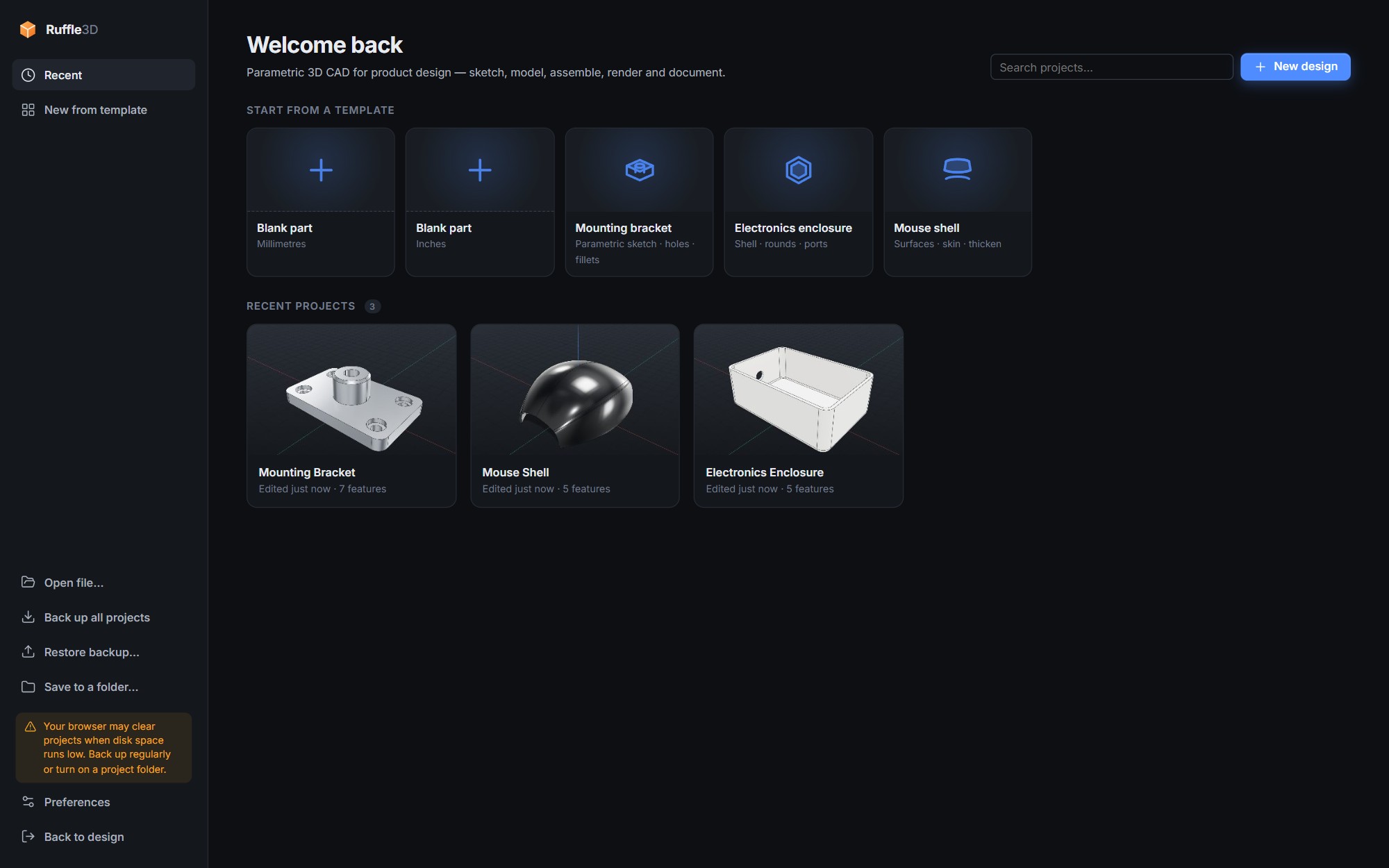
- Projects are stored on your computer and saved automatically, with thumbnails
- Named versions that you can restore at any time
- Import STEP, STL and DXF; export STEP (multi-body), STL, 3MF with colours, GLB, OBJ, PNG and WebM video
- DXF in and out for laser cutting and CNC: import 2D drawings into sketches (lines, arcs, polylines, splines, ellipses and blocks), and export any flat face or sketch
- Download project files to back up a design or move it to another computer
- Millimetres, centimetres, metres or inches per document
Interface
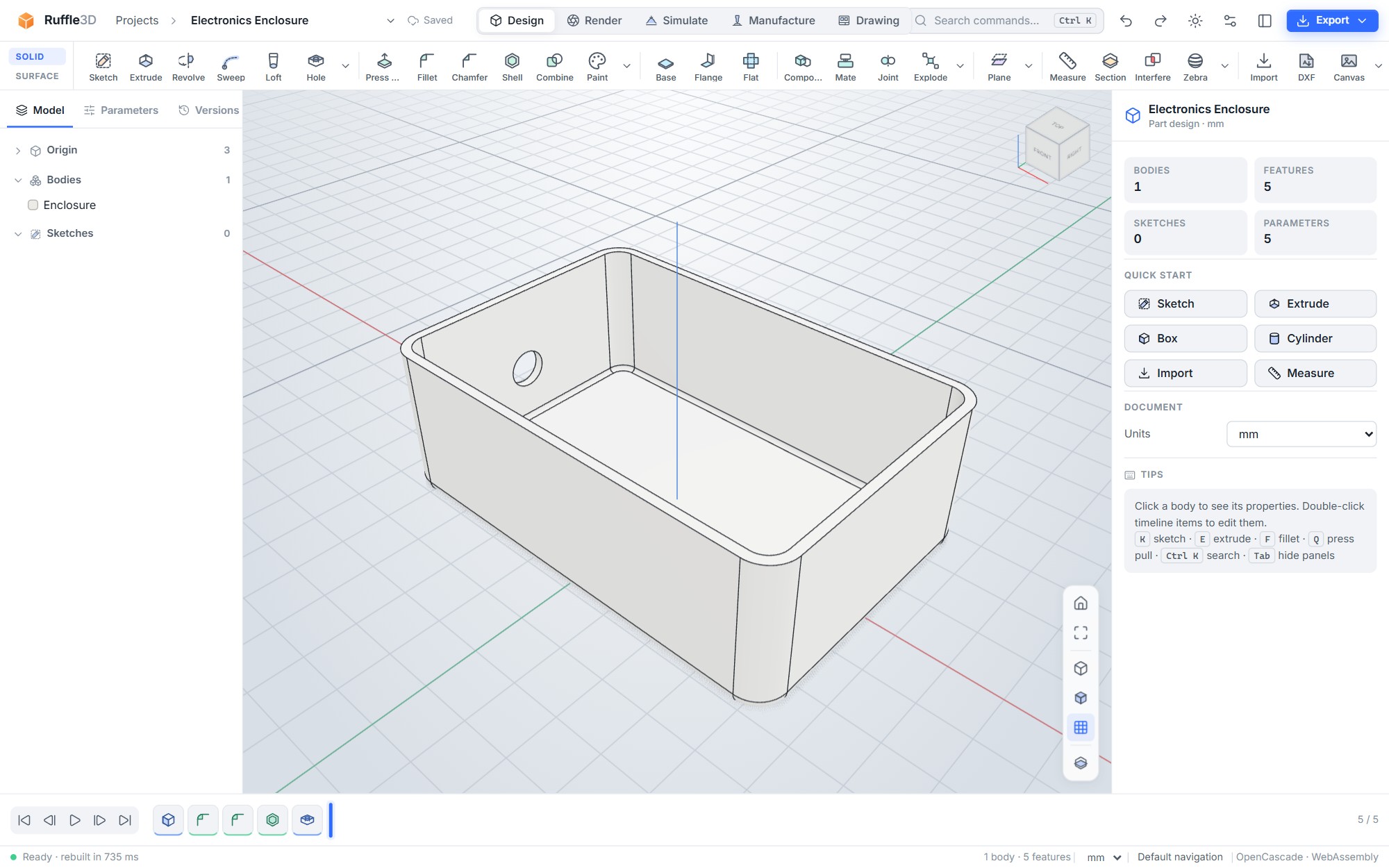
- Dark, light or system theme; eight accent colours; optional colour-coded tool categories
- Command search (Ctrl K) for every command, action and feature
- Four mouse presets, so the orbit and pan buttons match the CAD program you already know
- A contextual inspector that shows the options for whatever you are doing
Technical specifications
| Geometry kernel | OpenCascade (B-rep, NURBS), compiled to WebAssembly and run in a background thread |
|---|---|
| Rendering | WebGL 2 via three.js; physically based materials |
| Import | STEP (.step, .stp), STL, DXF (R12 and later) |
| Export | STEP, STL, 3MF, DXF, GLB, OBJ, PNG, WebM video, SVG, PDF (via print), CSV bills of materials |
| Units | mm, cm, m, in |
| Platforms | Windows 10 and 11, macOS 12 or newer, Linux; also runs in Chrome, Edge, Firefox and Safari |
| Data storage | On your computer (browser storage for the app's address); no cloud account |
| Offline use | Yes, with the download package or the browser-installed app |